YEAR 11 DIGITAL TECHNOLOGY
  • Computer Literacy
    • Basics
    • File Types
    • Compression
  • Animation
    • Adobe Illustrator >
      • Intro to Illustrator
      • Review of Illustrator Techniques
      • Illustrator - The Third
      • Advanced Illustrator
    • Adobe After Effects >
      • Basic Animation
      • Export to Youtube
      • Rigging
      • Animation Project
    • Project Documentation >
      • Purpose, Potential Users, Requirement and Specifications
      • Testing and Refinement
    • AS92005 - Develop a Digital technologies outcome
  • HTML/CSS Basics
    • HTML
    • CSS
    • Classes
  • Programming
    • Learn Basics - Variables and Prompts
    • If Statements
    • For Loops & Basic Arrays
    • While Loops & Functions
    • Robustness
    • Debugging
    • Skills Test
    • Testing and Documentation
    • Programming Assessment
  • HCI
    • AS92006 - HCI Exam
    • Introduction-Describe-Identify
    • Neilson's Heuristics
    • mātāpono Māori
    • Explaining Principles
    • Compare/Improvements
    • Practice Practice Practice
  • Data
    • Learn Excel
    • Learn Excel (Part Deux)
    • Practice Assessment
    • Practice Assessment 2 - police
    • Assessment
  • Freyberg Digital

Making a Pirate

To complete this lesson you will need to use the skills that you have already learnt across the previous lessons. We have provided a series of images with some explanation at certain points, however, we do not go into detail at every step so you will need to think about how to make some of the shapes with what you already know.

Start with a rectangle for the skin and a circle for the base of the beard.
Picture
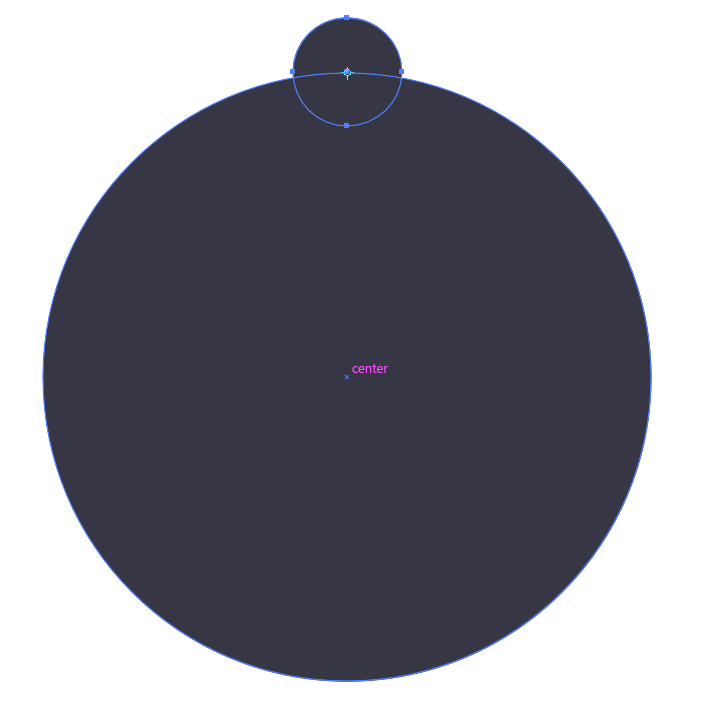
Make a smaller circle and place this at the top of the beard circle
Picture

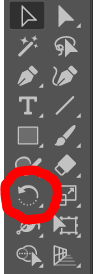
Select the smaller circle and choose the Rotate tool. Next, hold Alt​ and left-click the centre of the big circle.
Picture
Picture

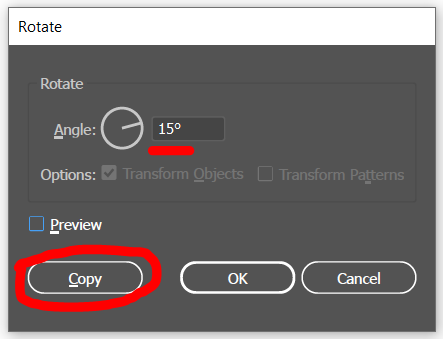
Set the rotation to 15​° and select copy.
Picture
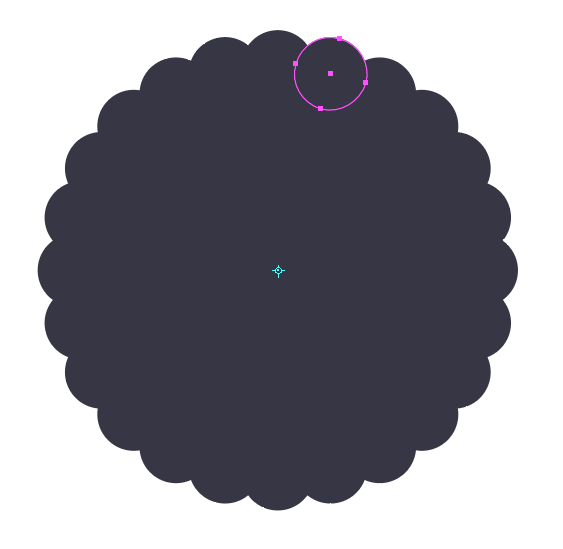
Use ctrl + D to duplicate the smaller circle all around the outside.
Picture

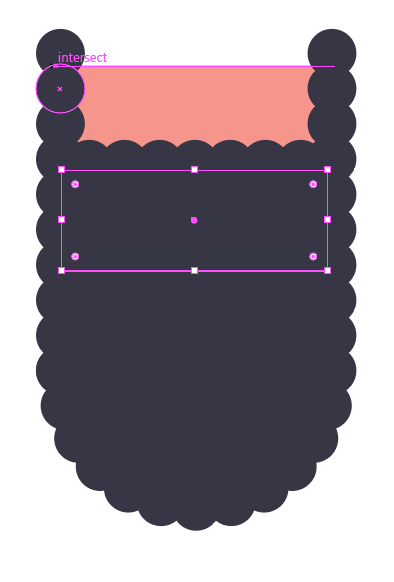
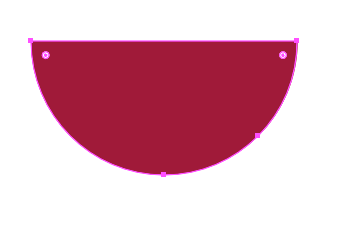
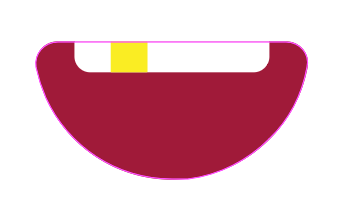
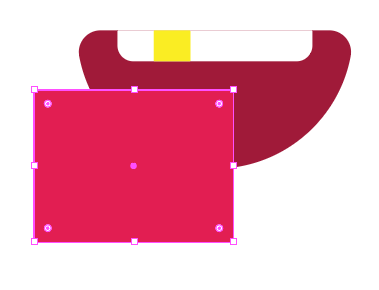
From here on out you should have learnt all of the skills to make the required shapes. Look carefully at each picture and do your best to reproduce what is changing between each one.

Picture
Picture
Picture
Picture
Picture
Picture
Picture
Picture
Picture
Picture
Picture
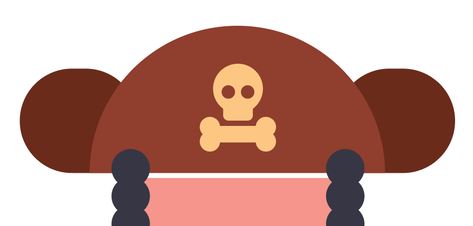
Create a skull and crossbones out of circles and rectangles.
Picture
Picture
Give the guy a headband and band for the eyepatch.

Picture
Give him a nose, an eye, and an eyepatch.

Picture
Give him ears and earrings.
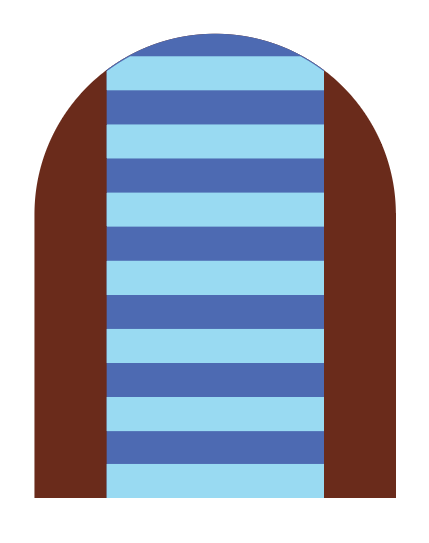
Give the pirate a coat and shirt. Use a darker blue for the shirt and then just copy/duplicate some smaller rectangles up the shirt for the stripes.

Picture
Picture
Picture
Picture
You've made a pirate! Good work!
Powered by Create your own unique website with customizable templates.
  • Computer Literacy
    • Basics
    • File Types
    • Compression
  • Animation
    • Adobe Illustrator >
      • Intro to Illustrator
      • Review of Illustrator Techniques
      • Illustrator - The Third
      • Advanced Illustrator
    • Adobe After Effects >
      • Basic Animation
      • Export to Youtube
      • Rigging
      • Animation Project
    • Project Documentation >
      • Purpose, Potential Users, Requirement and Specifications
      • Testing and Refinement
    • AS92005 - Develop a Digital technologies outcome
  • HTML/CSS Basics
    • HTML
    • CSS
    • Classes
  • Programming
    • Learn Basics - Variables and Prompts
    • If Statements
    • For Loops & Basic Arrays
    • While Loops & Functions
    • Robustness
    • Debugging
    • Skills Test
    • Testing and Documentation
    • Programming Assessment
  • HCI
    • AS92006 - HCI Exam
    • Introduction-Describe-Identify
    • Neilson's Heuristics
    • mātāpono Māori
    • Explaining Principles
    • Compare/Improvements
    • Practice Practice Practice
  • Data
    • Learn Excel
    • Learn Excel (Part Deux)
    • Practice Assessment
    • Practice Assessment 2 - police
    • Assessment
  • Freyberg Digital