Mātāpono Māori
Statement:
The Ministry of Education advocates for integrating Māori pathways into subjects to support Māori success. During exams, students can choose between established usability heuristics and less familiar Māori principles ("mātāpono Māori"), with lessons dedicated to exploring these concepts and offering support regardless of their choice.
The Three Concepts:
|
Like usability heuristics in which there are 10, Mātāpono Māori has 8 principles they have listed as being relevant:
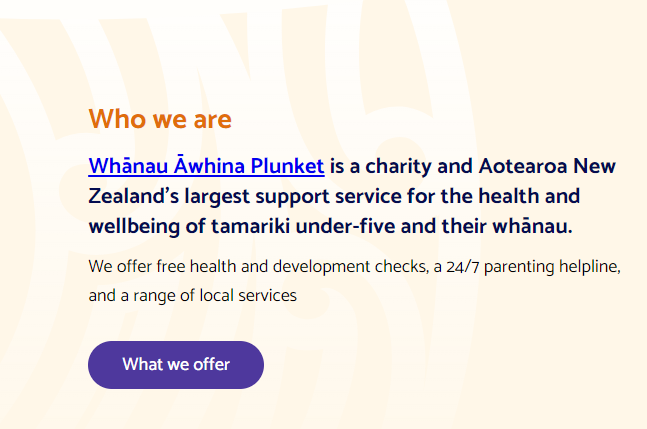
We will be using plunket.org.nz as an example of this. |
Terms and definitions
Task: fill out the table.
In your one note you will have a table that should be filled out
Please fill this out
In your one note you will have a table that should be filled out
Please fill this out
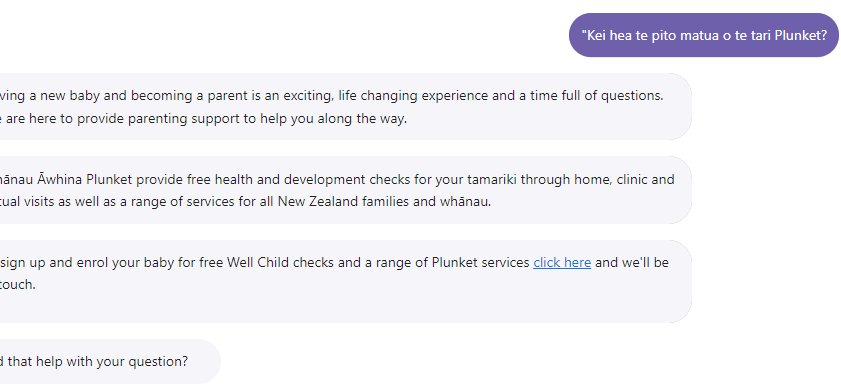
Accurate use of te reo Māori
|
To some the Māori language is seen as something sacred/tapu.
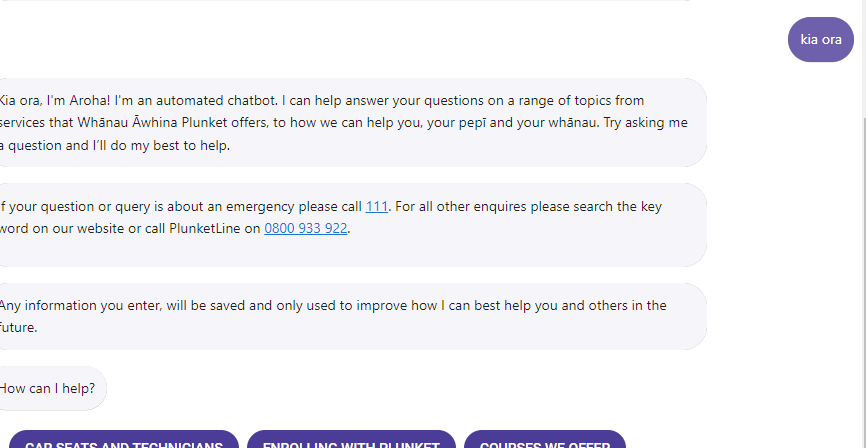
Getting the language right is very important as a social cultural norm in New Zealand. One way that you can tell that a website has used accurate te reo is through the use of Macron's. ā vs a To be able to see if a website is using the language accurately you will need a basic understanding of te reo. |
Support for te reo Māori in tools such as spell checking
Support for expression of tikanga and mātāuranga Māori
|
This one is a little bit tricky and even language experts that have been consulted have found it difficult.
The standard breaks it into 3 different categories:
|
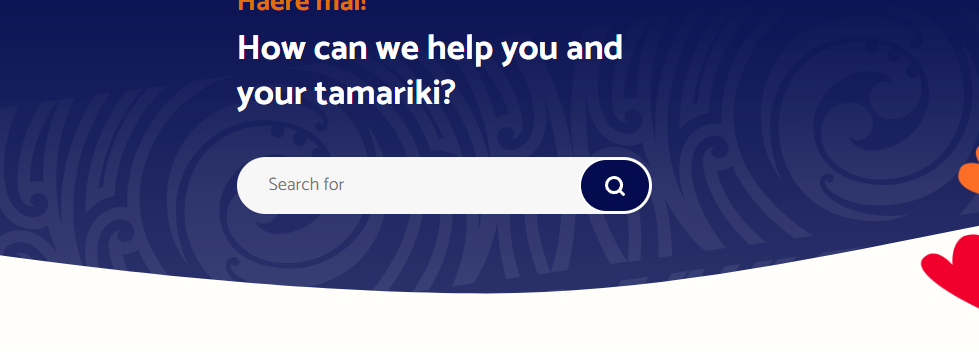
Notice the Māori artwork in the interface design.
|

The other concepts
Manaakitanga - upholding a person’s mana, or showing respect for them.
Rangatiratanga - the right to exercise authority and self determination.
Whanaungatanga - building relationships with people.
Aroha - empathy, and compassion for others.
Kaitiakitanga - guardianship and protection of the resources or people entrusted to you.
- User-Friendly Design: The Plunket website uses clear navigation, with large buttons and simple menus (e.g., "Our Services," "Health & Wellbeing"), making it easy for parents, caregivers, or whānau to find information. This respects users by not frustrating them with a confusing layout.
- Inclusive Language: The site uses welcoming and supportive language, such as “We’re here to help you and your whānau” on the homepage, which shows respect for diverse users, including Māori families, and makes them feel cared for.
- Accessibility Features: The website is designed to be accessible, with readable fonts and a clean layout, ensuring that users with different abilities (e.g., visual impairments) are respected and included.
Rangatiratanga - the right to exercise authority and self determination.
- User Control: The website allows users to choose how they engage with Plunket’s services, such as booking appointments online or accessing resources like parenting tips. For example, the “Find a Plunket Clinic” tool lets users search for locations near them, giving them the freedom to decide what suits their needs.
- Cultural Empowerment: The site includes Māori perspectives, such as references to whānau wellbeing, which respects Māori families’ right to see their values reflected and make choices aligned with their culture.
- Customizable Experience: Users can filter content (e.g., by age group or topic under “Health & Wellbeing”), empowering them to access information relevant to their specific situation.
Whanaungatanga - building relationships with people.
- Community Focus: The website promotes Plunket’s community groups, like coffee groups for parents, encouraging users to connect with other whānau. The “Get Involved” section invites users to join as volunteers or attend events, building relationships.
- Engaging Content: Stories and testimonials from parents on the site (e.g., under “Our Stories”) create a sense of shared experience, making users feel they’re part of a wider whānau of parents and caregivers.
- Contact Options: The site provides multiple ways to connect, such as a helpline (PlunketLine), email, and social media links, fostering relationships between users and Plunket staff or volunteers.
Aroha - empathy, and compassion for others.
- Supportive Content: The website offers resources for parents facing challenges, like advice on “Child Safety” or “Mental Health,” written in a kind and understanding tone. This shows empathy for parents who might be stressed or worried.
- Reassuring Design: The use of soft colors (blues and whites) and images of smiling families creates a warm, comforting vibe, making users feel supported rather than overwhelmed.
- Free Resources: Plunket provides free tools, like growth charts or parenting guides, showing compassion by ensuring all whānau, regardless of income, can access help.
Kaitiakitanga - guardianship and protection of the resources or people entrusted to you.
- Data Protection: The website uses secure forms for booking appointments or donating, protecting users’ personal information (e.g., names, addresses). This shows guardianship over users’ privacy.
- Sustainable Design: The site is lightweight and loads quickly, reducing energy use (a digital form of environmental care). It also promotes sustainable practices, like tips for eco-friendly parenting in its resources.
- Cultural Guardianship: By including Māori language and values (e.g., “whānau” in content), the site respects and protects Māori culture, ensuring it’s passed on to future generations.